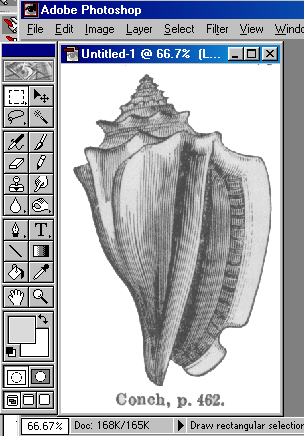
A case study, involving filters and chroma:
Suppose we are involved in a corporate design project for which a seashell would prove useful. We might ask
a) do we have a seashell handy, which we could scan?
b) do we have any stock images available in our clipart galleries, and if so, do we have access to the license agreement of those images?
c) do we know of any public domain seashells?
Given that the answers to a and b might both be "no," then let's think about c. Yes! indeed! The Webster's dictionary images at Dr. Dailey's site. Going there, and remembering that indeed a seashell would be considered as a mollusk, we look at several and finally decide on the image at http://www.sru.edu/depts/cisba/compsci/dailey/public/mollusks/conch.gif
We bring the picture into Photoshop (through the clipboard).
We then begin to ask ourselves some questions about the image.
1. How big is it (in RAM)? 168K as seen from the info at the bottom of the window.
2. What kind of image is it (what mode)? Greyscale as seen from [Image/mode].
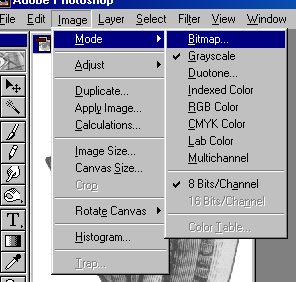
3. How many layers does the image have? Recall that since the image was imported through the clipboard it will have two layers.(Layers can be discovered through [Window/show-layers]). Flatten it, since the underlying layer was a blank screen and contains nothing of use [under Layer/flatten].
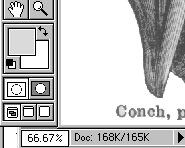
4. What is the zoom level? 66.7% as seen through the image status shown at the bottom (or titlebar) of the window:
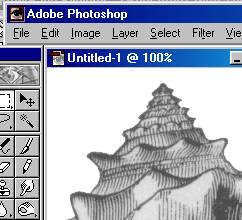
4a. Does the image quality vary markedly from one zoom level to the next? Use the zoom tool to find out. How does it look at 100% magnification? It is important to check, since this is the "real" size of the image.
5. Does the image use values througout its color (greyscale) range well?
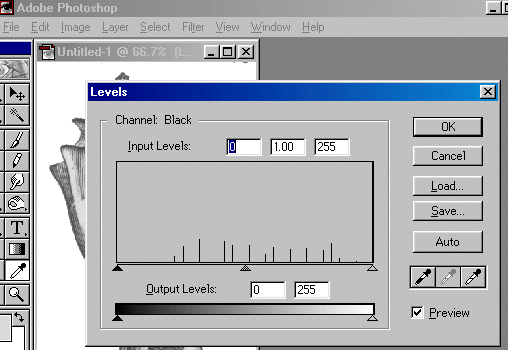
5a. Look at the image levels [under image/adjust/levels]:
In the above image, we can see that the color values are spread fairly uniformly through the range, but interestingly we note that the image was apparently scanned as a 4-bit image (rather than 8-bit) since there appear to be only 16 shades of grey present. This may have implications for further work with the image.
5b. Try auto-adjusting levels [Image/adjust/auto-levels]. This adjusts brightness and contrast automatically (though not necessarily optimally -- why not?). Undo when done.
5c. Try equalizing [Image/adjust/equalize]. This balances the chroma roughly equally through the spectral range. Undo when done.
5d. Try adjusting brightness and contrast. [Image/adjust/brightness-contrast]. Undo when done.
5e. Is one of the approaches best? If, for example, the auto-adjust on the levels seems as good as anything, then apply it. (By way of analysis, you may want to examine the levels histogram after each of the above steps).
Technical note concerning above image
6. Might the image need to be sharpened or blurred? If the image, like the above image was based on very high contrast engraving, or if the image is based on the scan of printed material, or if the photographic or scanning conditions were less than optimal, then adjusting the sharpness and blurriness may prove useful.
6a. First make a clipboard copy of the image [CTRL A, CTRL C]. If you end up making more than a single step that you later regret, the clipboard's ability to get you back to a previous step can prove useful. Likewise, it could prove that your desired picture will be some combination of a future step with the current step (enabled through various layer controls over pasted images).
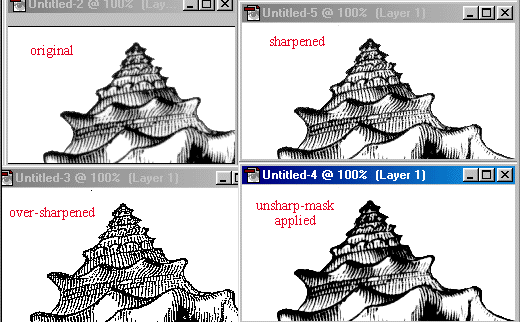
6b.Experiment with sharpening [Filter/Sharpen...either sharpen, sharpen more, etc.]:
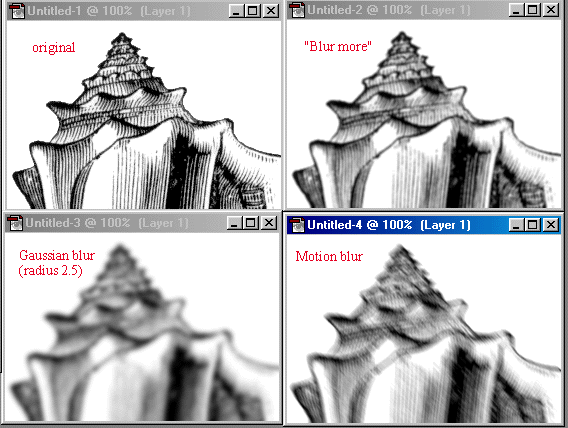
6c. Experiment with bluring [various options under Filter/Blur]:
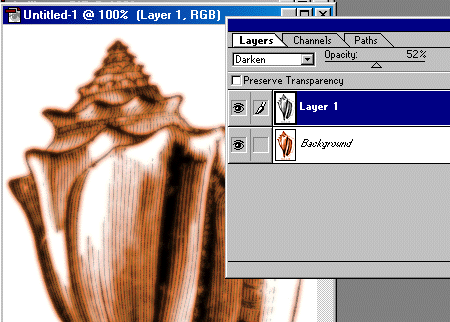
6d. Experiment with combining the effects of both blurring and sharpening (and false colorizing):
See also here for a postscript on this topic.
* Note: I am seeking permission for use of Adobe® trademarks, screen shots, and the like as contained in various statements by that corporate entity (e.g. http://www.adobe.com/misc/pdfs/USGenExtTMdb022803.pdf, http://www.adobe.com/misc/permissions.html, http://www.adobe.com/misc/agreement.html, and http://www.adobe.com/misc/trademarks.html ) though the reader might wish to be aware that such permission statements do exist before replicating any marks associated with software companies.