Additional tools for scripting and web-publishing
If you've become accustomed to writing html and are beginning to have a feel for JavaScript, take a look at the product "HomeSite" from Allaire.
Start it in Eisenberg 103 by going to the Start menu and looking under "CPSC software."
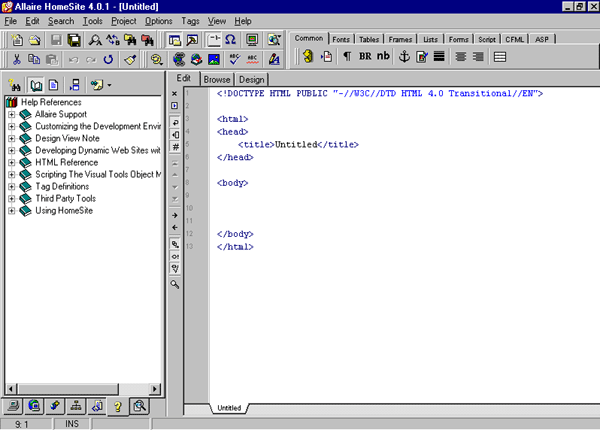
After you start it, the screen should look like :
It should contain sample source code such as shown above in the start-up window. If it doesn't, then quit the application and start it again.
Homesite will try to "balance" your tags, brackets, and parentheses. Usually, it is good to listen to its advice.
It provides a quick way of previewing a document, and of testing JavaScripts while under development.
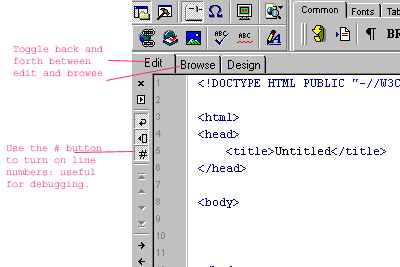
Compared to a text-editor or word-processor, Homesite can save you hours of time for your work in this course. Compared to a full-featured web-editor (like AOL Press or MS FrontPage), Homesite is considerably less intrusive into your HTML syntax -- a plus for creating JavaScript.
A comparable package that can be downloaded at no cost is HTML-Kit -- you may wish to consider using it at home.