Making sure your web and cgi directories are there and working.
1. web
You should already have a web directory. It should be accessible through /var/www/html/users/<username>
[SRUNET\abc1234@obsidian ~]$ |
the subdirectory cgi should already be there. If not create it, using mkdir cgi |
[SRUNET\abc1234@obsidian]$ mkdir cgi |
Make the directory and look at the permissions. It should have world read and execute privs. |
[SRUNET\abc1234@obsidian]$ chmod +rx cgi |
This gives it proper privs. |
[abc1234@obsidian public_html]$ cat test.html |
Create a simple html file in it for testing purposes. |
![]() |
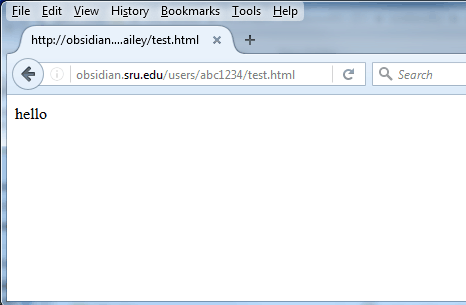
Point your browser at the page to make sure it's visible.(Use an address like http://obsidian.sru.edu/users/yourname/test.html in the URL). You should see a web page containing the word "hello". |
| If it's not visible, then report to me (as a part of assignment 1) what the error message (if any) is. |
2. cgi
Inside /var/www/html/users/<username> make sure the directory called cgi exists and has world read and execute privileges. That's where you'll place all your web-executable scripts.
| #! /bin/sh echo "Content-type: text/html" echo echo echo "<html>" echo "It works</html>" |
Place this code into a file in the cgi directory |
| [cgi]$ ls -l test -rwx--x--x 1 ddailey ddailey 90 Sep 3 2010 test | Make sure it has execute (and no other privileges) for "g" and "o" |
![]() |
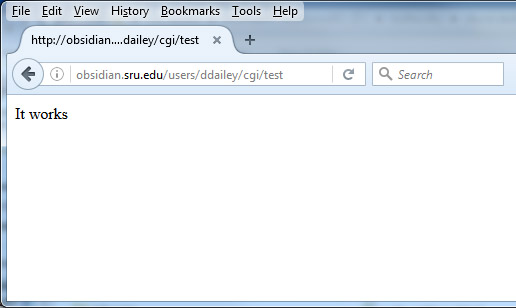
Point the browser at the script. (Use a URL like http://obsidian.sru.edu/users/yourname/test.html ) If properly set up (and if the file is as it should be -- you might want to test that you've done it right before fussing that it doesn't work, since it's sort of silly to do it wrong and them complain that it doesn't work!) then you should get standard output from your shell script appearing in the browser window! |